New Source
New sources (e.g., a new sensor) can be added to new or existing locations.
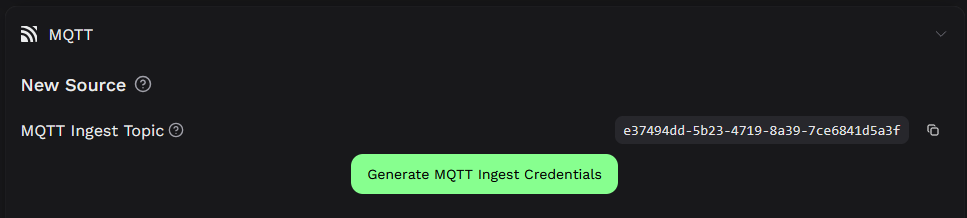
For this, MQTT User, MQTT Password, and MQTT Topic are required.
This information can either be output when creating a location (see Home Page) or subsequently under MQTT in the location's Settings.
While MQTT Topic is always the same for a location, MQTT User and MQTT Password can differ for each source.
The target formats are JSON or Protobuf.
Python example for trajectories via MQTT
import paho.mqtt.client as mqtt

# Create a MQTT client
client = mqtt.Client(transport="websockets")
client.ws_set_options(path="/mqtt")
client.tls_set(tls_version=mqtt.ssl.PROTOCOL_TLS)
client.username_pw_set("MQTT User", "MQTT Password")

# Connect to MQTT Broker and start loop
client.connect("city.app.sdk-cloud.de", 443, 60)
client.loop_start()

# Prepare your data
'''
# Example for a valid json:
{
  "measurements": [
    {
	  "tracking_id": 1,
	  "class_id": 2,
	  "time": "2024-10-22T10:25:26.000000000+02:00",
	  "long": 11.42538833618164,
	  "lat": 48.77518081665039
	},
	{
	  "tracking_id": 2,
	  "class_id": 1,
	  "time": "2024-10-22T10:25:26.000000000+02:00",
	  "long": 11.45538833618164,
	  "lat": 48.79518081665039
	}
  ]
}
'''

json_data = {"measurements": dict}

# Publish to MQTT broker
client.publish("MQTT Topic"+"/camera", json.dumps(json_data, indent=2))

# Stop loop and disconnect
client.loop_stop()
client.disconnect()
Python example for static sensor data (e.g. traffic lights) via MQTT
import paho.mqtt.client as mqtt

# Create a MQTT client
client = mqtt.Client(transport="websockets")
client.ws_set_options(path="/mqtt")
client.tls_set(tls_version=mqtt.ssl.PROTOCOL_TLS)
client.username_pw_set("MQTT User", "MQTT Password")

# Connect to MQTT Broker and start loop
client.connect("city.app.sdk-cloud.de", 443, 60)
client.loop_start()

# Prepare your data
'''
# Example for positioning the static sensor position (must be done only once):
{
  "measurements": [
    {
      "sensing_id": 1,
      "sensor_class": "TrafficLightCar",
      "time": "2024-10-22T10:25:26+02:00",
      "long": 11.42538833619,
      "lat": 48.77518081665,
      "colour": "ini"
    },
    {
      "sensing_id": 2,
      "sensor_class": "TrafficLightVRU",
      "time": "2024-10-22T10:25:26+02:00",
      "long": 11.45538833617,
      "lat": 48.79518081661,
      "colour": "ini"
    }
  ]
}

# Example for sending the values:
{
  "measurements": [
    {
      "sensing_id": 1,
      "sensor_class": "TrafficLightCar",
      "time": "2024-10-22T10:25:36+02:00",
      "colour": "yellow"
    },
    {
      "sensing_id": 2,
      "sensor_class": "TrafficLightVRU",
      "time": "2024-10-22T10:25:36+02:00",
      "colour": "green"
	}
  ]
}
'''

json_data = {"measurements": dict}

# Publish to MQTT broker
client.publish("MQTT Topic"+"/trafficlights", json.dumps(json_data, indent=2))

# Stop loop and disconnect
client.loop_stop()
client.disconnect()